
Download ChromeHistoryView – Free Windows Chrome History Analyzer
Overview
ChromeHistoryView is a lightweight, free utility designed for Windows users who need direct access to the browsing history stored by Google Chrome. Developed by Nir Sofer, this tool belongs to the “Browsers” category with a sub‑category of “Browser tools”. Since its introduction to our catalog in 2012, ChromeHistoryView has accumulated almost 11,000 downloads, with a steady flow of new users each week.
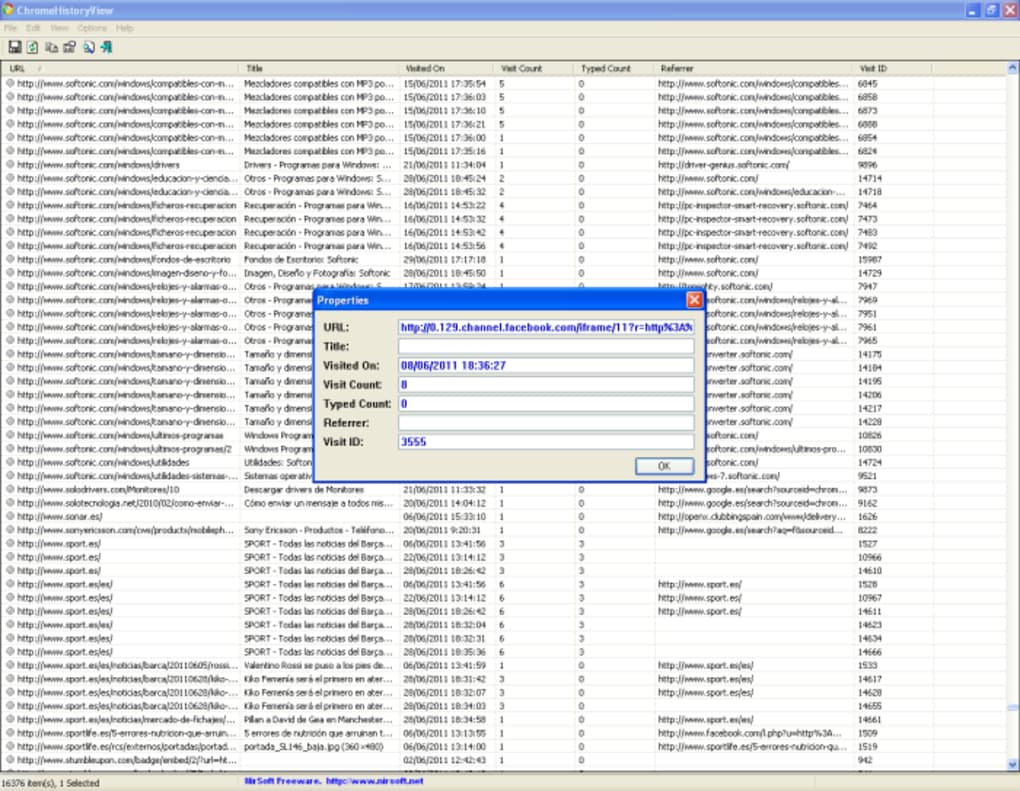
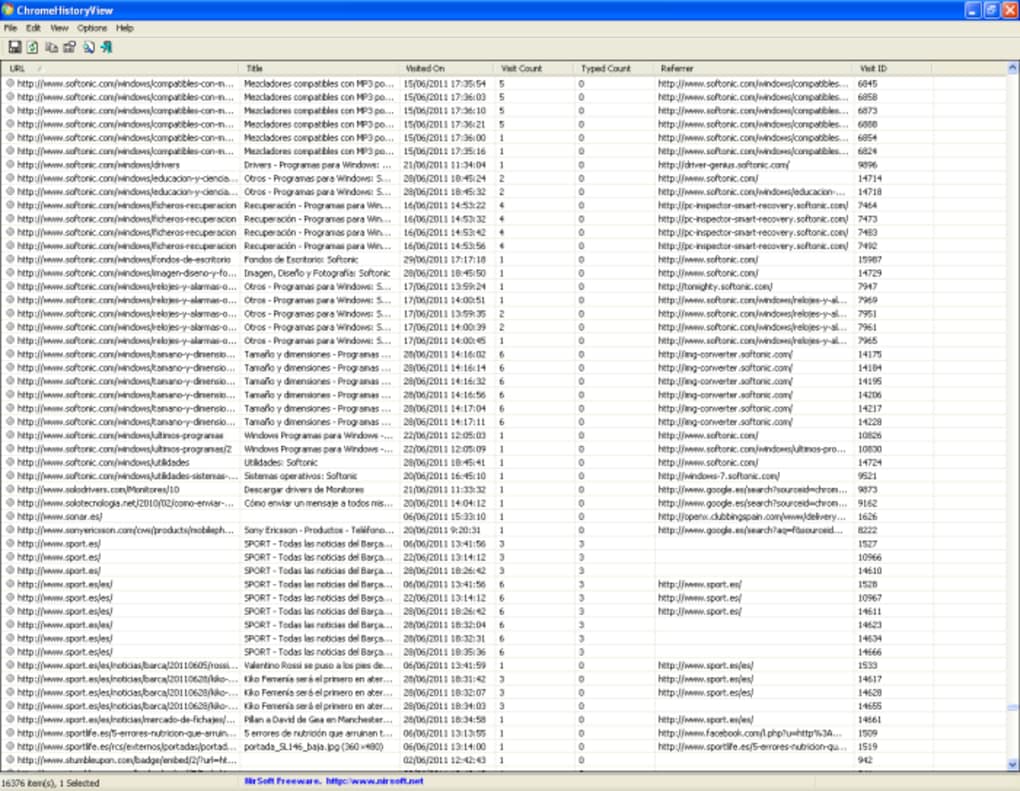
The current version (1.05) was last updated on June 17, 2012, and it runs on Windows 2000 and later, making it compatible with a broad range of legacy and modern systems. The interface is intentionally simple: no intrusive ads, no unnecessary background services, and a minimal disk footprint. Because it reads Chrome’s local SQLite database, it can extract URLs, page titles, visit dates, and even the number of times a page was visited.
This makes ChromeHistoryView an indispensable tool for forensic analysts, IT administrators, or anyone who wants to audit personal browsing habits without opening Chrome itself. The program is offered in English, and its popularity is especially high in Brazil, the United States, and Saudi Arabia, where users value the ability to retrieve and export history data quickly and securely.
Key Features and Capabilities
- Read Chrome’s history database directly from the local profile folder.
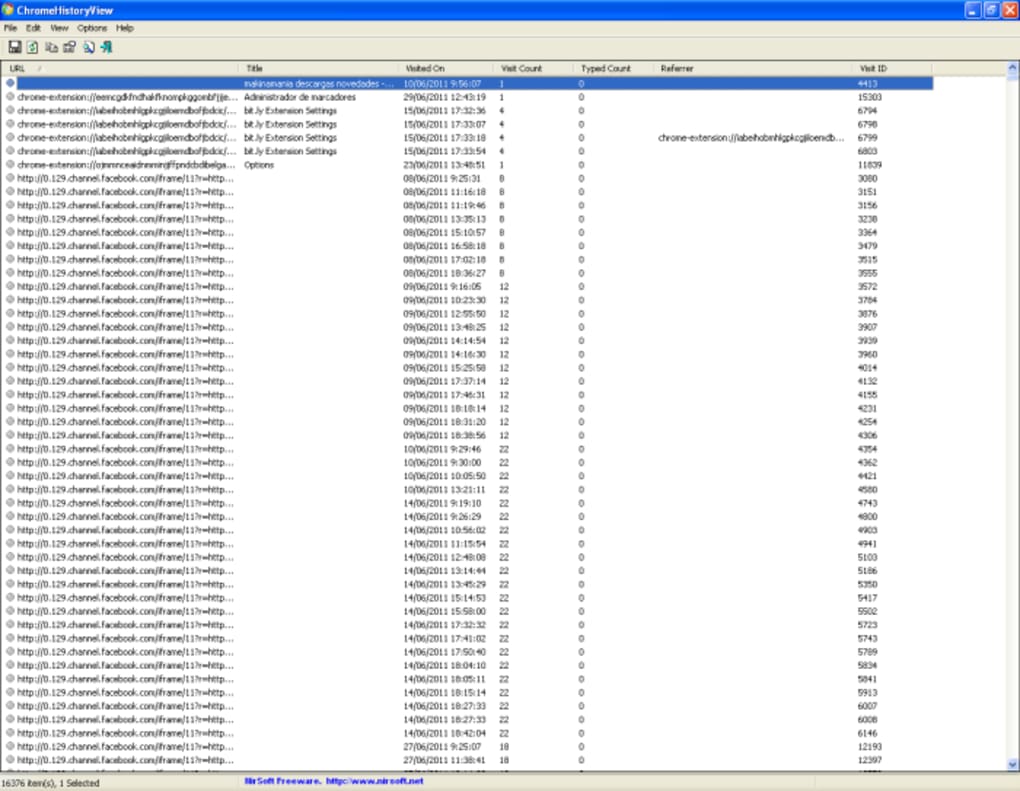
- Display URL, page title, visit count, and timestamps in a sortable table.
- Export data to CSV, HTML, XML, or plain text for further analysis.
- Filter entries by date range, URL keyword, or visit count.
- Support for multiple Chrome profiles on the same machine.
- Lightweight executable (under 2 MB) with no installation required.
- Fully portable – run from a USB stick on any Windows computer.
- Secure handling – the tool never modifies the original Chrome database.
- Command‑line support for automated scripting and batch processing.
- Multilingual interface (English only at present, but easy to translate).
Why These Features Matter
For forensic investigators, the ability to extract a complete, unaltered view of a user’s Chrome activity can be the difference between a successful case and a dead end. ChromeHistoryView’s export options allow analysts to feed the data into spreadsheet programs or specialized forensic suites without manual copy‑and‑paste, preserving evidential integrity. IT administrators appreciate the multi‑profile support because many corporate machines host separate personal and work Chrome profiles; the tool can pull data from each without confusion.
End‑users, on the other hand, enjoy the simple filtering system that helps locate a forgotten website by typing part of the URL or the page title. The command‑line mode is especially handy for power users who want to schedule regular history backups via Windows Task Scheduler. All these capabilities are delivered in a secure, read‑only fashion: ChromeHistoryView never writes to the original SQLite file, which eliminates the risk of corrupting a user’s browsing data.
Installation, Usage & Compatibility
ChromeHistoryView is a portable Windows application. It works on Windows 2000, XP, Vista, 7, 8, 8.1, 10, and 11, as well as Windows Server editions from 2003 onward. Because the program does not require installation, the user simply downloads the ZIP archive, extracts the contents, and runs ChromeHistoryView.exe. No admin rights are needed unless the user’s Chrome profile is stored in a protected directory.
Step‑by‑Step Installation
- Click the “Download ChromeHistoryView” button below the article.
- Save the ZIP file to a convenient location (desktop or a USB drive).
- Right‑click the ZIP and select “Extract All…”; choose a folder.
- Navigate to the extracted folder and double‑click
ChromeHistoryView.exe. - If prompted by Windows Defender, confirm that you trust the file (the program is signed and free of malware).
First‑Run Configuration
Upon launch, ChromeHistoryView automatically detects the default Chrome profile located in %LOCALAPPDATA%\Google\Chrome\User Data\Default. If you have additional profiles, click the “Browse…” button to point the tool to the appropriate folder (e.g., Profile 2, Guest, etc.). The main window then populates with a list of visited URLs, ordered by the most recent visit. Use the column headers to sort by URL, title, or date. The “Filter” box at the top lets you type any keyword; the list updates in real time.
Exporting and Automation
To export data, select one or more rows (or press Ctrl+A for all), then choose “File → Save Selected Items”. Pick your preferred format—CSV is ideal for Excel, while HTML provides a quick preview in any browser. For recurring tasks, the command‑line syntax is straightforward:
ChromeHistoryView.exe /LoadProfile "C:\Users\JohnDoe\AppData\Local\Google\Chrome\User Data\Default" /ExportCSV "C:\HistoryBackup\chrome_history_2025_10_25.csv"
Schedule this command with Windows Task Scheduler to generate daily backups without manual effort. Because the program reads the database in a read‑only mode, you can safely run it while Chrome is open; no file‑locking issues occur.
Pros, Cons & Frequently Asked Questions
Pros
- Free and completely portable – no installation required.
- Lightweight (under 2 MB) and fast, even on older Windows machines.
- Read‑only access guarantees original Chrome history remains untouched.
- Multiple export formats simplify reporting and data analysis.
- Supports all Chrome profiles and works with Chrome versions up to the present.
- Command‑line interface enables automation for power users.
Cons
- Only available for Windows; no native macOS, Linux, Android, or iOS version.
- Interface is functional but dated; lacks modern UI polish.
- English‑only language support at the moment.
- Does not display cookies, cache, or other browsing artifacts—focuses solely on history.
- Last official update was in 2012; however, the underlying Chrome database format remains compatible.
FAQ – ChromeHistoryView
Is ChromeHistoryView safe to use on a corporate computer?
Yes. The tool accesses Chrome’s history database in read‑only mode and never writes to the file system, making it safe for corporate environments where data integrity is critical.
Can I view history from multiple Chrome profiles simultaneously?
ChromeHistoryView can load one profile at a time. To view another profile, simply close the program, click “Browse…” and select the second profile’s folder.
Does the software work with Chromium‑based browsers other than Google Chrome?
Because many Chromium‑based browsers use the same SQLite schema for history, you can point ChromeHistoryView to the corresponding profile folder (e.g., Microsoft Edge or Brave) and it will read the entries correctly.
How can I automate daily backups of my Chrome history?
Use the command‑line version shown in the “Installation” section and create a scheduled task in Windows Task Scheduler that runs the command at a chosen time each day.
Will ChromeHistoryView work on Windows 11 with the latest Chrome updates?
Yes. The program reads the standard SQLite history file, which has remained compatible across Chrome versions, including the latest releases on Windows 11.
Conclusion and Call to Action
ChromeHistoryView delivers a focused, secure, and completely free solution for anyone who needs direct access to Google Chrome’s browsing history on Windows. Its portability, low system impact, and versatile export options make it a practical choice for forensic professionals, IT admins, and everyday users alike. While the UI could benefit from a modern refresh and the lack of native macOS or mobile versions limits its audience, the core functionality remains solid and reliable after more than a decade of use. If you need to audit, export, or simply review Chrome history without launching the browser, this tool is worth a download.
Ready to get started? Click the button below to download ChromeHistoryView instantly, extract the tiny ZIP file, and begin exploring your Chrome history in seconds. Remember to bookmark this page for future reference and share it with colleagues who might benefit from a lightweight history analysis tool.







